


Review a candidate
Open a candidate on the candidate board to read their application and CV, and tick off what you have already checked.
Before you start
You need:
- Access to the Careers app
- A job ad with applications
New to the app? Start with Sign in to the web app.
When to use it
When you go through new applications and decide who to contact.
Step by step
-
Step 1: Read the application
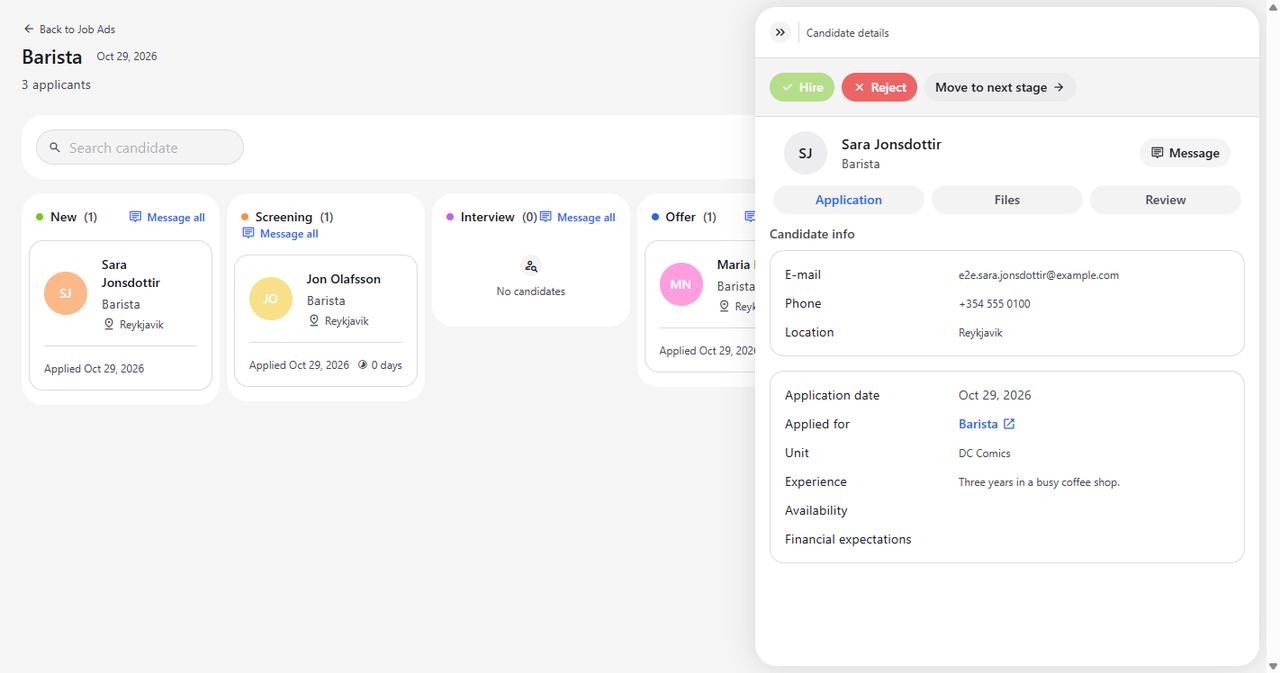
On the candidate board, click the candidate's card. Candidate details opens on the right on the Application tab. Under Candidate info you see the e-mail address, phone and location, and below it the application date, the job ad and unit they applied for, and their answers to the application form.
Tip: Click the job title next to Applied for to open the job ad as candidates see it, in a new browser tab.
Tip: Message copies the candidate's e-mail address and opens a new e-mail to them in your mail program. The button shows Email copied for a moment.
Tip: Click the same candidate card again to close Candidate details.
-
Step 2: Open the CV and other files
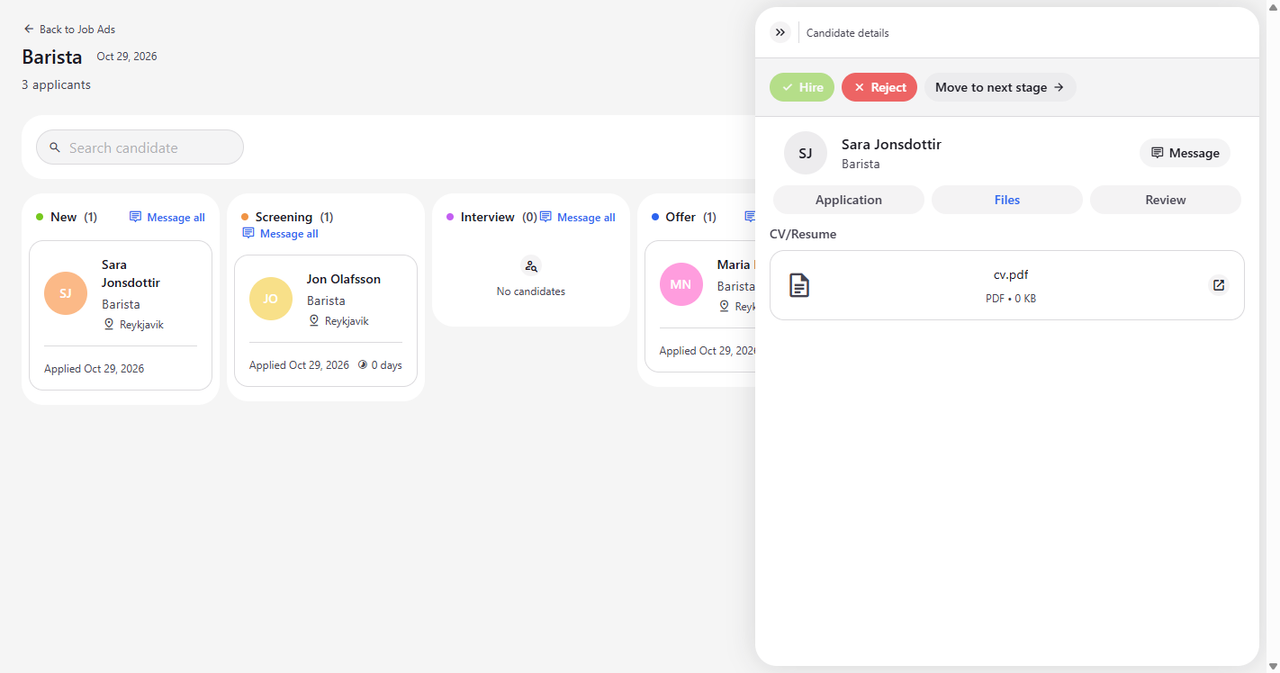
Click the Files tab. Under CV/Resume you see the file the candidate sent, with its type and size.
Tip: Click the open icon on a file to view the CV or cover letter in a new browser tab.
Tip: CV/Resume and Cover letter appear only when the candidate sent that file.
-
Step 3: Keep track of your review
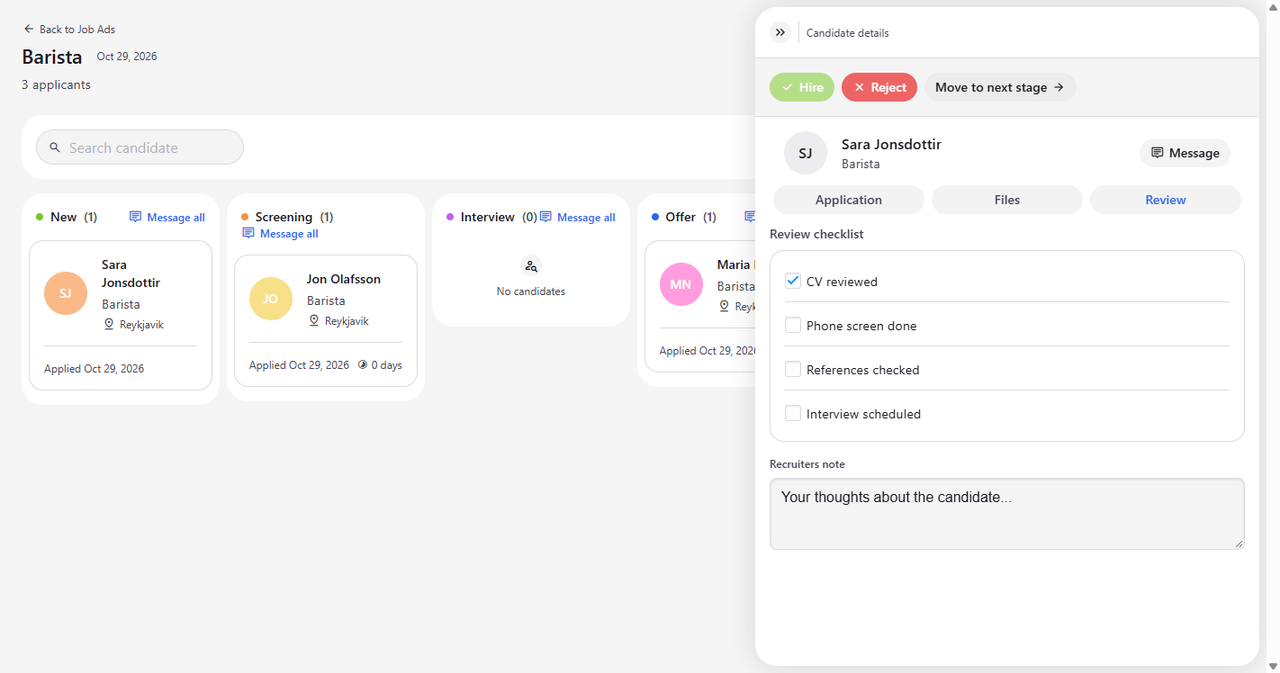
Click the Review tab and tick what you have done in the Review checklist, for example CV reviewed. Below the checklist, write your own thoughts in Recruiters note.
Tip: Each tick in Review checklist is saved at once. If saving fails, the box goes back to how it was.
Tip: Recruiters note is saved when you click outside the field.
What happens next
You have read the application and the CV, and your progress with the candidate is saved on the Review tab for the next time you open them.
Good to know
- For candidates in Interview, Offer and Rejected, Message fills in a ready-made subject and text in English, Polish or Icelandic, depending on the app's language. For the other stages the e-mail starts empty.
- If the panel says "Could not load candidate details", close it and click the candidate card again.
Questions
I clicked Message but no e-mail opened. What now?
Message opens your computer's default mail program. If none is set up, nothing opens, but the address is still copied - paste it into your mail.